JSON node
JSON Length
Get the element count of a JSON array or the key count of a JSON object.
Inputs
| Port | Type |
|---|---|
| InputThe array or object to measure — element count for a list, key count for an object. Plain values and nothing connected both report 0. | json |
Outputs
| Port | Type |
|---|---|
| Length | int |
| Is Empty | bool |
Screenshots
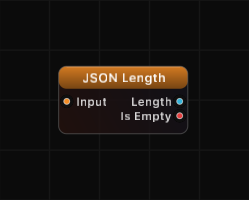
Overview
JSON Length measures the size of a JSON structure. For arrays, it returns the number of elements. For objects (including OrderedJSON), it returns the number of keys. The Is Empty output provides a quick boolean check for zero-length structures.
If the input is not a JSON object or array (for example, a string, number, or null), Length returns 0 and Is Empty returns true.
Examples
Array length:
Input: [10, 20, 30, 40]
Length: 4, Is Empty: false
Object key count:
Input: {"x": 1, "y": 2, "z": 3}
Length: 3, Is Empty: false
Empty array:
Input: []
Length: 0, Is Empty: true
Empty object:
Input: {}
Length: 0, Is Empty: true
Non-structure input:
Input: "hello" (string, not a JSON structure)
Length: 0, Is Empty: true
Use Cases
- Checking if incoming data is empty before processing
- Driving loop counters based on array size
- Monitoring data stream health — detect when a source stops sending data
- Conditional logic based on whether a collection has content
Tips
- Use Is Empty for simple guard checks in your graph logic, rather than comparing Length to 0 with a Compare node.
- For arrays, Length equals the value you would get from JSON Array's Length output.
- For objects, Length equals what JSON Keys would report as Count.
- This node works with both plain dictionaries and OrderedJSON objects.
A ready-made example project for this node is built into Grafit Pro: select the node in the library and open or drag the example from its description panel.
Open JSON Length in the interactive catalog →
JSON Length is one of 381 nodes in Grafit Pro.
Free download. Every feature for 7 days, no card. Then €99.99 once — or keep playing your projects as a Player.