JSON node
JSON Array
Build a JSON array from indexed elements. Each dynamic input becomes an element in the output array, with inputs automatically numbered [0], [1], [2], and so on.
Outputs
| Port | Type |
|---|---|
| Output | json |
| Length | int |
Screenshots
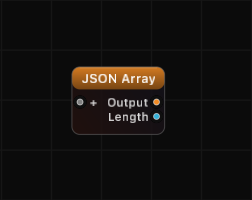
Overview
JSON Array constructs an ordered list of values. Add dynamic inputs through the Inspector, and each one is automatically assigned a sequential index. Connect any value type — floats, strings, booleans, objects, or other arrays — and the node packages them into a JSON array.
Unconnected inputs produce null values in the array, preserving the index positions of all other elements.
Examples
Build a coordinate array:
Add three dynamic inputs. Connect float values 10.0, 20.0, 30.0. The output is:
[10.0, 20.0, 30.0]Array of objects:
Connect JSON Object outputs to each dynamic input. The result is an array of objects:
[
    {"name": "A", "value": 1},
    {"name": "B", "value": 2}
]
Sparse array with null gaps:
If input [1] is unconnected while [0] and [2] have values:
[42, null, 99]Use Cases
- Creating ordered data sets for downstream processing
- Building arrays of coordinates, color values, or configuration entries
- Assembling lists for OSC message bundles
- Feeding arrays into JSON Set to build nested structures
Tips
- The Length output is useful for driving loops or controlling iteration in other parts of your graph.
- Unconnected ports become
null— remove unused ports to keep the array compact. - Nest arrays within arrays by connecting one JSON Array output to another JSON Array input.
- Use JSON Array Get downstream to extract individual elements by index.
A ready-made example project for this node is built into Grafit Pro: select the node in the library and open or drag the example from its description panel.
Open JSON Array in the interactive catalog →
JSON Array is one of 381 nodes in Grafit Pro.
Free download. Every feature for 7 days, no card. Then €99.99 once — or keep playing your projects as a Player.