String node
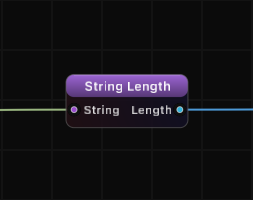
String Length
Returns the character count of the input string. A simple utility node for measuring string size.
Inputs
| Port | Type |
|---|---|
| StringThe text to measure. Counts characters, not bytes, so accents and emoji count as one each; empty text reports 0. | string |
Outputs
| Port | Type |
|---|---|
| Length | int |
Screenshots
How It Works
String Length counts the number of characters in the input string and outputs the result as an integer. An empty string returns 0. The count includes all characters: letters, digits, spaces, punctuation, and special characters.
Unicode characters such as emoji or accented letters are each counted as a single character, consistent with Swift's native string handling.
Examples
| Input | Length |
|---|---|
| "Hello" | 5 |
| "Grafit Pro" | 10 |
| "" | 0 |
| " " | 1 |
| "Line1\nLine2" | 11 |
Use Cases
- Validate input length to ensure strings meet minimum or maximum requirements.
- Drive conditional logic by comparing the length against thresholds using a Compare node.
- Calculate extraction parameters for String Part by using the length to compute dynamic index and range values.
- Monitor data streams by tracking the size of incoming string data from serial, TCP, or OSC sources.
- Empty string detection by checking if Length equals 0.
Tips
- Combine with Compare (Length > 0) for a simple "is not empty" check.
- Use with Math nodes to compute positions relative to the end of the string (e.g., Length - 3 for the last three characters).
- Pair with String Part and the Length output to extract trailing substrings dynamically.
- Newline and tab characters each count as one character.
A ready-made example project for this node is built into Grafit Pro: select the node in the library and open or drag the example from its description panel.
Open String Length in the interactive catalog →
String Length is one of 381 nodes in Grafit Pro.
Free download. Every feature for 7 days, no card. Then €99.99 once — or keep playing your projects as a Player.