Input node
Keyboard
Captures keyboard input from the Output Render window, providing key names, modifier combinations, raw keycodes, and press/release events for building interactive and input-driven graphs.
Outputs
| Port | Type |
|---|---|
| Key | string |
| Key+Key | string |
| Key Code | int |
| Characters | string |
| Modifiers | string |
| Pressed | bool |
| Just Pressed | bool |
| Just Released | bool |
Screenshots
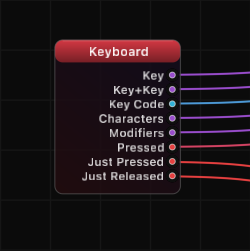
How It Works
The Keyboard node listens for key events in the Output Render window and exposes them as structured outputs. When a key is pressed, the Key output provides its human-readable name, while Key Code gives the raw system keycode for lower-level handling.
The Key+Key output combines active modifiers with the pressed key into a single string, making it straightforward to detect specific shortcuts. Modifiers reports which modifier keys (Shift, Control, Option, Command) are currently held, even when no other key is pressed.
Just Pressed and Just Released are edge-triggered outputs that produce true for exactly one frame at the moment of a key press or release. This makes them ideal for triggering one-shot actions like toggling a state or advancing a step. In contrast, Pressed remains true for the entire duration a key is held, which suits continuous actions like movement.
Use Cases
- Triggering animations or state changes on specific key presses
- Building keyboard-controlled navigation or parameter adjustment
- Detecting modifier combinations for shortcut-like behavior
- Using Just Pressed for single-fire triggers (e.g., toggling visibility)
- Logging typed characters for on-screen text input
Tips
- Use Just Pressed rather than Pressed when you need an action to fire only once per key press
- Key names are human-readable strings; compare them directly (e.g., Key == "Space")
- The node only receives events when the Output Render window has focus
- Combine with Logic nodes to build complex input conditions (e.g., "Shift held AND Space just pressed")
- Key Code is useful when you need consistent identifiers regardless of keyboard layout
A ready-made example project for this node is built into Grafit Pro: select the node in the library and open or drag the example from its description panel.
Open Keyboard in the interactive catalog →
Keyboard is one of 381 nodes in Grafit Pro.
Free download. Every feature for 7 days, no card. Then €99.99 once — or keep playing your projects as a Player.