Input node
Constant
Outputs a fixed value of a selectable data type. The data type can be changed in the Settings tab to Float, Double, Int, String, or Bool, making this node a versatile source for any parameter that does not need to change dynamically.
Inputs
| Port | Type | Default |
|---|---|---|
| ValueThe value this node hands out. Its type is chosen in Settings — number, text, switch or colour — and the drag field covers ±10000. Picking a preset like π or φ overrides whatever is typed here. | float | 0 |
Outputs
| Port | Type |
|---|---|
| Output | float |
Screenshots
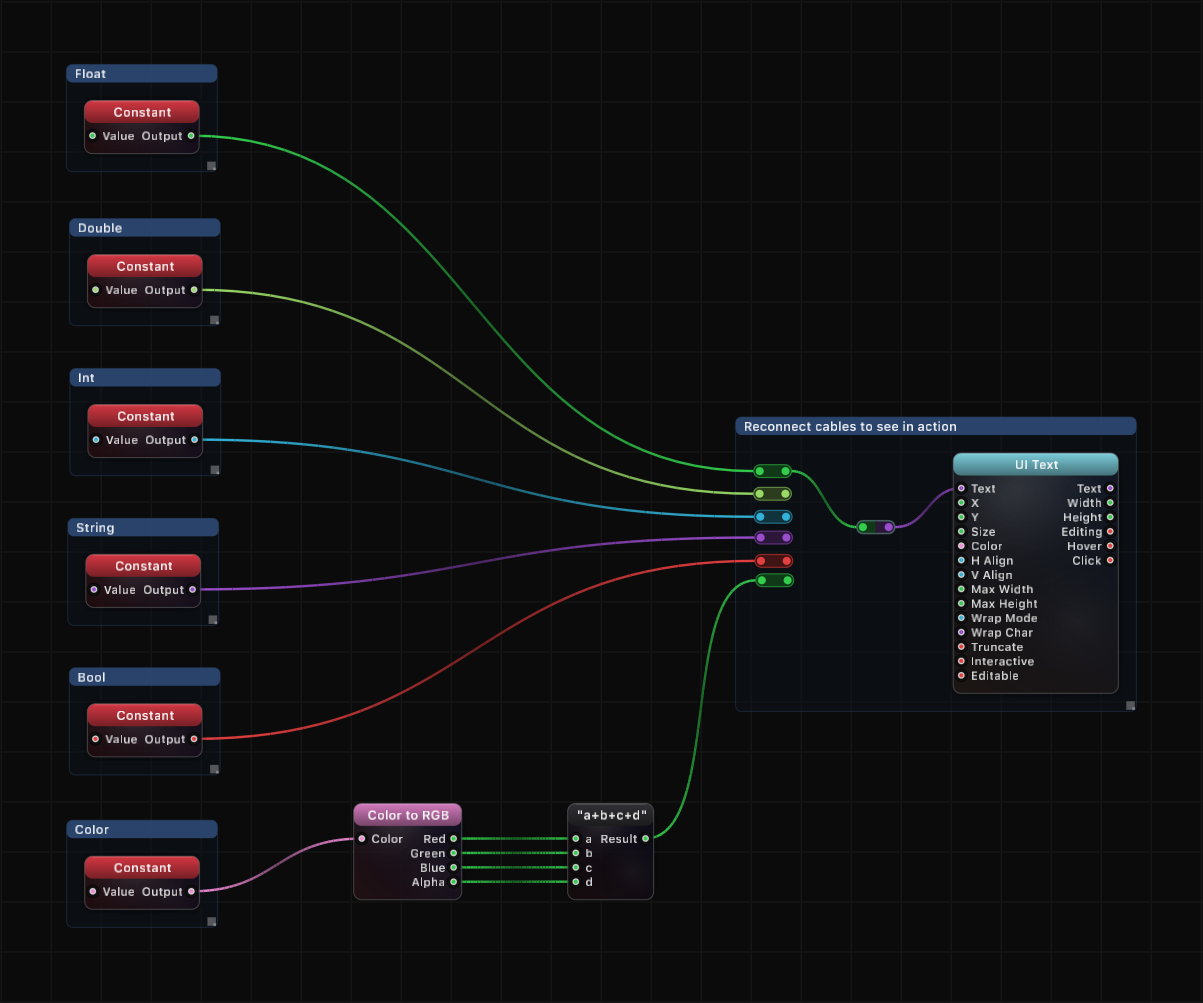
How It Works
The Constant node takes a single input value and passes it directly to the output without modification. Its primary purpose is to provide a named, adjustable parameter that can be connected to one or many downstream nodes.
The data type of the node is selectable in the Settings tab. Switching between Float, Double, Int, String, and Bool changes how the value is interpreted and transmitted to connected nodes. This allows the same node to serve as a source for numeric parameters, text labels, or boolean flags.
Because the value is set via the inspector, it persists across sessions and can be quickly tweaked without modifying the graph structure.
Use Cases
- Providing a fixed numeric parameter (e.g., speed, scale, threshold) to multiple nodes at once
- Defining a reusable string constant such as a label or file path
- Setting a boolean toggle that controls behavior in downstream logic
- Centralizing a shared value so it can be updated in one place and propagate everywhere
Tips
- Connect a single Constant to multiple inputs to keep shared parameters in sync
- Use the Settings tab to switch data types; the port adapts accordingly
- For values that need to change over time, consider using a different input node (e.g., Mouse, Time, or Keyboard) instead
- Naming the node descriptively in the graph helps identify what each constant represents at a glance
A ready-made example project for this node is built into Grafit Pro: select the node in the library and open or drag the example from its description panel.
Open Constant in the interactive catalog →
Constant is one of 381 nodes in Grafit Pro.
Free download. Every feature for 7 days, no card. Then €99.99 once — or keep playing your projects as a Player.