Structure node
Break Structure
Break an indexed structure (array) into individual output ports. Each element in the input structure gets its own auto-indexed output, making it easy to route individual values to different parts of your graph.
Inputs
| Port | Type | Default |
|---|---|---|
| StructureAn indexed list to unpack — one output port appears per element, numbered from zero. Anything that is not a list leaves the node with no element ports and Length at 0. | structure | — |
| Clean PortsRemoves leftover ports from a list that got shorter. Those ports are normally kept so cables survive a brief data gap; switch this on once to sweep them away. | bool | false |
Outputs
| Port | Type |
|---|---|
| Length | int |
Screenshots
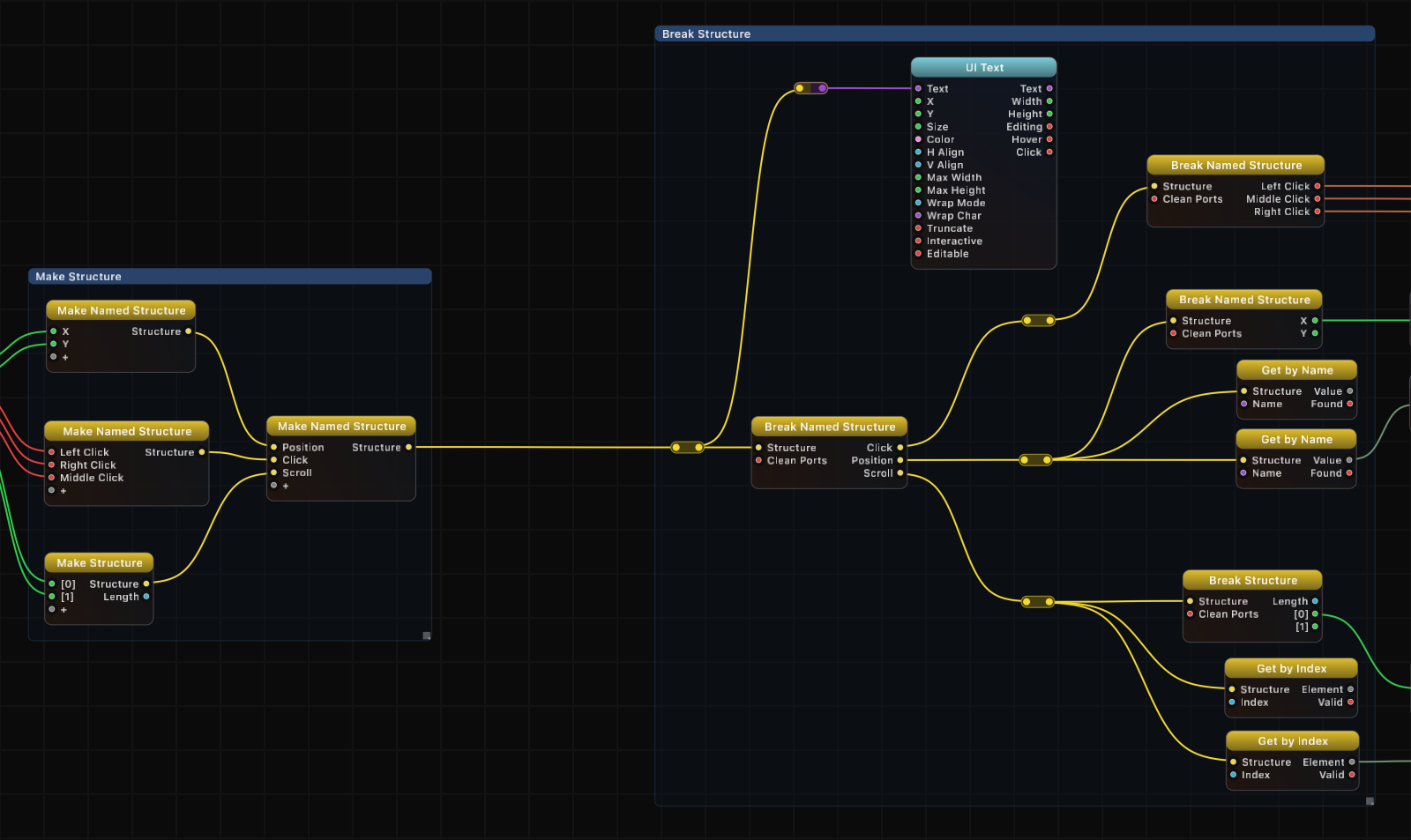
How It Works
Break Structure takes an indexed structure and exposes each element as a separate output port. When a structure is connected to the input, the node automatically creates numbered output ports matching the array indices: [0], [1], [2], and so on.
As the input structure changes size, the output ports update accordingly. New ports appear when the structure grows, and ports become inactive when the structure shrinks.
The Clean Ports input helps manage port clutter. When enabled, any output port that has no downstream connection is removed from the node, keeping the graph tidy. This is particularly useful after restructuring a graph where some outputs are no longer needed.
Use Cases
- Unpack coordinate data to access individual X, Y, Z components from a position structure.
- Route array elements to different processing branches in the graph.
- Inspect structure contents by breaking them out into individually observable outputs.
- Fan out sensor data so each channel can be processed or visualized independently.
Tips
- This is the natural complement to Make Structure. Use them as a pair to bundle and unbundle values across sections of your graph.
- The Length output is handy for conditional logic based on how many elements are present.
- Enable Clean Ports when you only need a subset of the structure elements to keep the node compact.
- For dictionary-style structures with named keys, use Break Named Structure instead.
A ready-made example project for this node is built into Grafit Pro: select the node in the library and open or drag the example from its description panel.
Open Break Structure in the interactive catalog →
Break Structure is one of 381 nodes in Grafit Pro.
Free download. Every feature for 7 days, no card. Then €99.99 once — or keep playing your projects as a Player.